



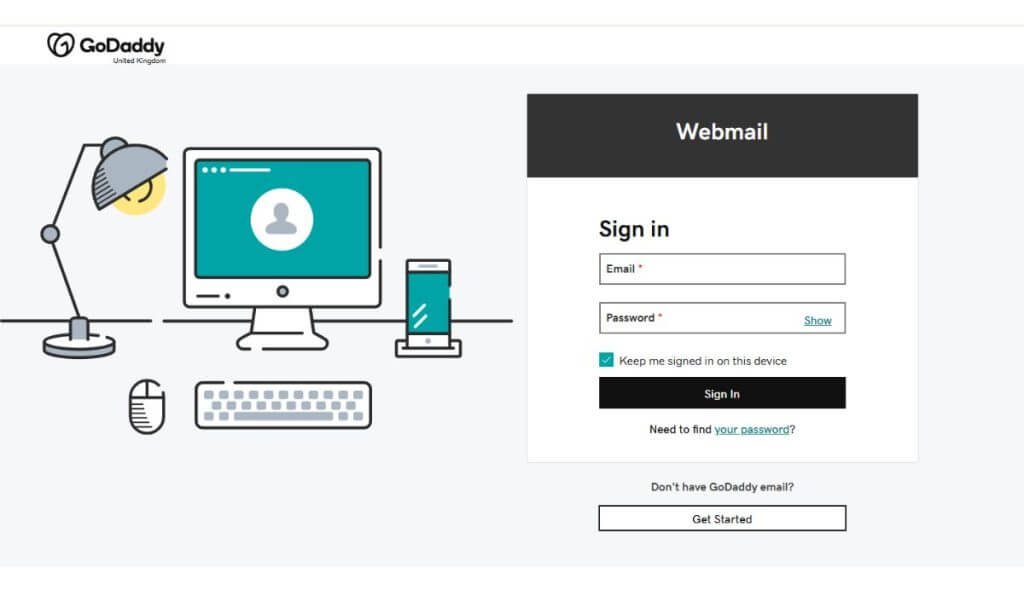
In today’s digital world, professional email communication is essential for businesses and individuals alike. GoDaddy, one of the world’s leading web hosting and domain registration companies, offers reliable email hosting services that allow users to create professional email addresses using their domain names. This article explains everything you need to know about GoDaddy email login, including how to access your account, troubleshoot login issues, and keep your email secure.
What Is GoDaddy Email?
GoDaddy Email is an email hosting service provided by GoDaddy. It enables users to create custom email addresses such as yourname@yourbusiness.com, which helps businesses appear more professional and trustworthy.
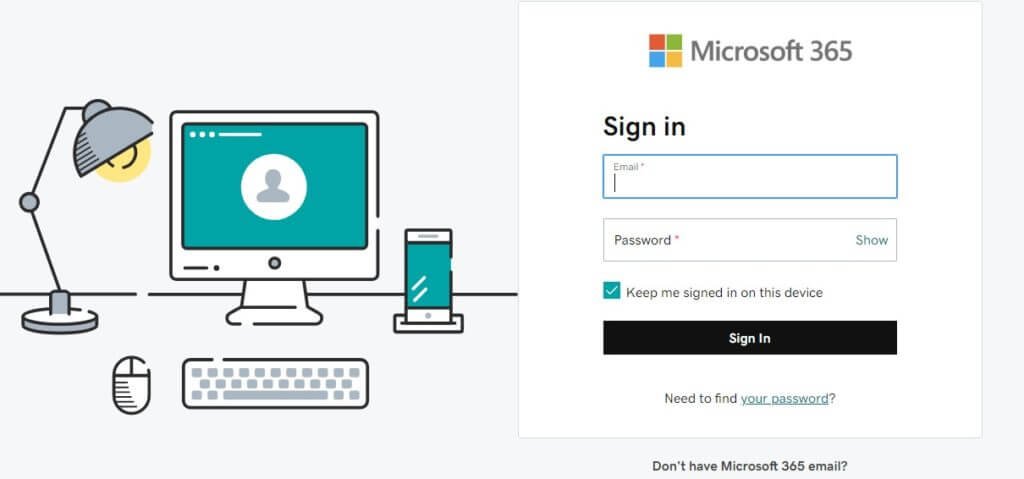
GoDaddy offers different email plans, including Microsoft 365 email solutions that come with advanced security, cloud storage, and productivity tools.
How to Access GoDaddy Email Login
Logging into your GoDaddy email account is simple and can be done in a few easy steps.
Step-by-Step Login Process
- Open your web browser.
- Visit the official GoDaddy website.
- Click on the “Sign In” button located at the top-right corner.
- Select “Email & Office.”
- Enter your email address and password.
- Click “Sign In” to access your inbox.
Once logged in, you can send emails, manage folders, create contacts, and use other email features.
Login Through Microsoft 365
Many GoDaddy email accounts are powered by Microsoft 365. Users may sometimes be redirected to the Microsoft login page.
To log in:
- Enter your GoDaddy email address.
- Type your password.
- Complete any security verification if enabled.
- Access your Outlook dashboard.
This integration provides users with tools such as Outlook, Word, Excel, Teams, and OneDrive.
Common GoDaddy Email Login Problems
Sometimes users experience difficulties while signing in. Here are some common issues and their solutions.
Incorrect Password
If your password is incorrect:
- Double-check spelling and capitalization.
- Make sure Caps Lock is turned off.
- Reset your password if necessary.
Forgotten Password
To reset your password:
- Go to the GoDaddy sign-in page.
- Click “Forgot Password?”
- Follow the instructions to verify your identity.
- Create a new secure password.
Browser Issues
Occasionally, browser settings may interfere with login.
Try these solutions:
- Clear browser cache and cookies.
- Update your browser.
- Use a different browser.
- Disable unnecessary extensions.
Account Lockout
Too many failed login attempts can temporarily lock your account. Wait a few minutes and try again or reset your password.
How to Set Up GoDaddy Email on Mobile Devices
GoDaddy email can also be used on smartphones and tablets.
On Android
- Open the Gmail or Email app.
- Tap “Add Account.”
- Choose Microsoft 365 or Exchange.
- Enter your email credentials.
- Complete setup instructions.
On iPhone
- Open “Settings.”
- Tap “Mail.”
- Select “Accounts” then “Add Account.”
- Choose Microsoft Exchange.
- Enter your GoDaddy email details.
This setup allows you to access your emails anytime and anywhere.
Tips to Keep Your GoDaddy Email Secure
Cybersecurity is extremely important for email accounts. Follow these best practices:
- Use a strong password.
- Enable two-factor authentication.
- Avoid logging in on public computers.
- Regularly update your password.
- Watch out for phishing emails.
Security measures help protect sensitive business and personal information.
Benefits of Using GoDaddy Email
GoDaddy email services offer several advantages:
Professional Appearance
A custom domain email address increases credibility and brand recognition.
Reliable Performance
GoDaddy provides secure servers and high uptime for smooth communication.
Easy Integration
The service works well with Microsoft 365 applications and mobile devices.
Customer Support
GoDaddy offers 24/7 customer support to help users solve technical problems quickly.
Conclusion
GoDaddy Email is a reliable and professional solution for businesses and individuals who want secure email communication with a custom domain name. The login process is straightforward, and users can access their accounts from desktops, laptops, and mobile devices. By understanding the login steps, troubleshooting methods, and security practices, users can enjoy a smooth and secure email experience.
Whether you are running a small business or managing personal projects, GoDaddy email services provide the tools needed for effective communication and productivity.
FAQs About GoDaddy Email Login
1. How do I log in to my GoDaddy email account?
To log in to your GoDaddy email account, visit the GoDaddy website, click on “Sign In,” select “Email & Office,” and enter your email address and password.
2. What should I do if I forgot my GoDaddy email password?
If you forgot your password, click on the “Forgot Password” option on the login page and follow the instructions to reset your password securely.
3. Is GoDaddy email connected with Microsoft 365?
Yes, many GoDaddy email plans are powered by Microsoft 365, offering access to Outlook, OneDrive, Teams, and other Microsoft tools.
Also Read: Itzhak Ezratti: The Visionary Behind One of America’s Leading Homebuilding Companies
4. Can I access my GoDaddy email on mobile devices?
Yes, you can access your GoDaddy email on Android and iPhone devices using the Outlook app or your device’s built-in mail application.
5. Why is my GoDaddy email login not working?
Your login may fail because of an incorrect password, browser issues, expired subscriptions, or temporary server problems. Clearing cache or resetting the password often solves the issue.
6. How can I make my GoDaddy email more secure?
You can improve security by using a strong password, enabling two-factor authentication, and avoiding suspicious email links or attachments.
7. Does GoDaddy provide customer support for email issues?
Yes, GoDaddy offers 24/7 customer support to help users with email login, setup, and troubleshooting problems.
8. Can I use a custom domain with GoDaddy email?
Yes, GoDaddy allows users to create professional email addresses using their own domain names, such as info@yourbusiness.com.
9. Is GoDaddy email suitable for businesses?
Yes, GoDaddy email is ideal for businesses because it offers professional branding, reliable service, and integration with productivity tools.
10. How do I set up GoDaddy email in Outlook?
Open Outlook, add a new account, enter your GoDaddy email address and password, and follow the setup instructions provided by Microsoft 365.