



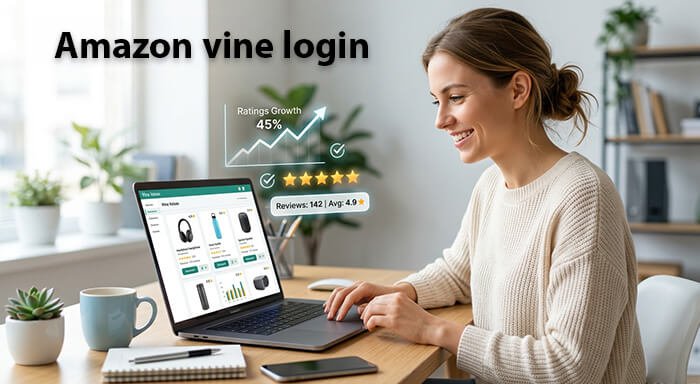
Amazon Vine is one of the most popular invitation-only programs for trusted reviewers on Amazon. Through this program, selected members receive free products in exchange for honest and unbiased reviews. However, many users often struggle with the Amazon Vine login process or understanding how the platform works.
In this article, we’ll explain everything you need to know about Amazon Vine login, how to access your account, common login issues, and tips for using the platform effectively.
What Is Amazon Vine?
Amazon Vine is a review program created by Amazon to help customers make informed buying decisions. Members of the program, known as “Vine Voices,” receive products from participating brands and sellers to review on Amazon.
The goal is simple: provide genuine customer feedback on products before more buyers purchase them.
Unlike paid review programs, Amazon Vine emphasizes honest and transparent opinions. Reviewers are not required to leave positive feedback.
How to Access Amazon Vine Login
If you have received an invitation to join the Amazon Vine program, you can log in by following these steps:
Step 1: Visit Amazon
Go to the official Amazon website and sign in with the account that received the Vine invitation.
Step 2: Open the Amazon Vine Page
After logging in, visit the Amazon Vine dashboard through the direct Vine portal available in your invitation email or Amazon account.
Step 3: Enter Your Credentials
Use your Amazon email address and password to access the Vine platform.
Step 4: Start Reviewing Products
Once logged in, you can browse available products, request items, and submit reviews after testing them.
Amazon Vine Login Requirements
Before accessing Amazon Vine, you must meet certain eligibility requirements:
- You must have an active Amazon account.
- Amazon must invite you to join the program.
- Your previous reviews should be helpful and authentic.
- You should follow Amazon’s community guidelines.
Keep in mind that not everyone can apply directly. Amazon selects reviewers based on review quality, helpfulness, and consistency.
Common Amazon Vine Login Problems
Some users experience login issues while trying to access their Vine account. Here are a few common problems and solutions.
Incorrect Password
Double-check your login credentials. If necessary, reset your password using Amazon’s password recovery option.
Wrong Amazon Account
Make sure you are using the same Amazon account that received the Vine invitation.
Browser Issues
Sometimes browser cache or cookies can interfere with login functionality. Clear your browser data or try another browser.
Account Restrictions
If your Amazon account has policy violations or restrictions, Vine access may be limited.
Tips for Amazon Vine Members
To maintain a good standing in the Vine program, follow these best practices:
Write Honest Reviews
Always provide truthful feedback based on your real experience with the product.
Review Products Quickly
Timely reviews improve your credibility within the program.
Avoid Policy Violations
Do not sell Vine products immediately or post misleading reviews.
Stay Active
Consistent participation can help maintain your Vine membership.
Benefits of Amazon Vine
There are several advantages to being part of the Amazon Vine program:
- Access to free products
- Early access to new items
- Opportunity to influence buyer decisions
- Build credibility as a trusted reviewer
For many users, Amazon Vine is an exciting way to test products while helping the Amazon community.
Is Amazon Vine Worth It?
For active Amazon reviewers, the Vine program can be highly rewarding. Members get the opportunity to try products from different categories, including electronics, home items, beauty products, and more.
However, it also requires commitment. You must consistently provide detailed and honest reviews to remain in good standing.
Final Thoughts
Amazon Vine is an exclusive platform designed for trusted reviewers who provide valuable feedback to shoppers. Understanding the Amazon Vine login process is essential for accessing your dashboard, requesting products, and managing your reviews.
If you’ve received an invitation, make sure to log in using the correct Amazon account and follow all community guidelines. With consistent effort and honest reviews, you can enjoy the full benefits of the Amazon Vine program.
Whether you’re a new member or simply curious about how the program works, Amazon Vine offers a unique opportunity to engage with products and contribute meaningful reviews to millions of shoppers worldwide.
(FAQs)
1. What is Amazon Vine?
Amazon Vine is an invitation-only program where trusted reviewers receive free products from sellers and brands in exchange for honest product reviews.
2. How do I log in to Amazon Vine?
You can log in to Amazon Vine by signing into your Amazon account and accessing the Vine portal using the account that received the invitation.
3. Can anyone join Amazon Vine?
No, Amazon Vine is invitation-only. Amazon selects reviewers based on the quality and helpfulness of their reviews.
4. Why can’t I access my Amazon Vine account?
You may be using the wrong Amazon account, entering an incorrect password, or experiencing browser-related issues. Clearing cache or resetting your password may help.
Also Read: TimeWarp at TaskUs: Revolutionizing Productivity in the Modern Workplace
5. Is Amazon Vine free to join?
Yes, Amazon Vine is completely free for invited members.
6. Do Amazon Vine members get free products?
Yes, Vine members can receive products at no cost in exchange for honest and unbiased reviews.
7. Are Amazon Vine reviews trustworthy?
Amazon requires Vine reviewers to provide genuine feedback based on their real experience with the product.
8. How are reviewers selected for Amazon Vine?
Amazon usually selects users who consistently write detailed, helpful, and authentic product reviews.
9. Can I apply for Amazon Vine directly?
Currently, Amazon does not offer a direct application process. Most members are invited automatically.
10. Is Amazon Vine available worldwide?
Amazon Vine is available in selected countries where Amazon operates the program.
11. Can Amazon remove me from Vine?
Yes, members who violate Amazon guidelines or fail to submit reviews regularly may lose access to the program.
12. What should I do if I forget my Amazon Vine login password?
Use Amazon’s “Forgot Password” option to reset your account password and regain access.