









Introduction
MailerLite is one of the most popular email marketing platforms used by businesses, bloggers, and digital marketers worldwide. It offers powerful tools for email campaigns, automation, landing pages, and subscriber management. To use these features, users first need to access their accounts through the MailerLite login page.
This guide explains everything you need to know about MailerLite login, including how to sign in, troubleshoot login issues, improve account security, and access your dashboard smoothly.
What Is MailerLite?
MailerLite is a cloud-based email marketing service designed for beginners and professionals alike. The platform allows users to:
- Create and send email newsletters
- Build landing pages
- Automate marketing workflows
- Manage subscribers
- Track campaign performance
Its user-friendly interface and affordable pricing make it a preferred choice for small businesses and creators.
How to Access the MailerLite Login Page
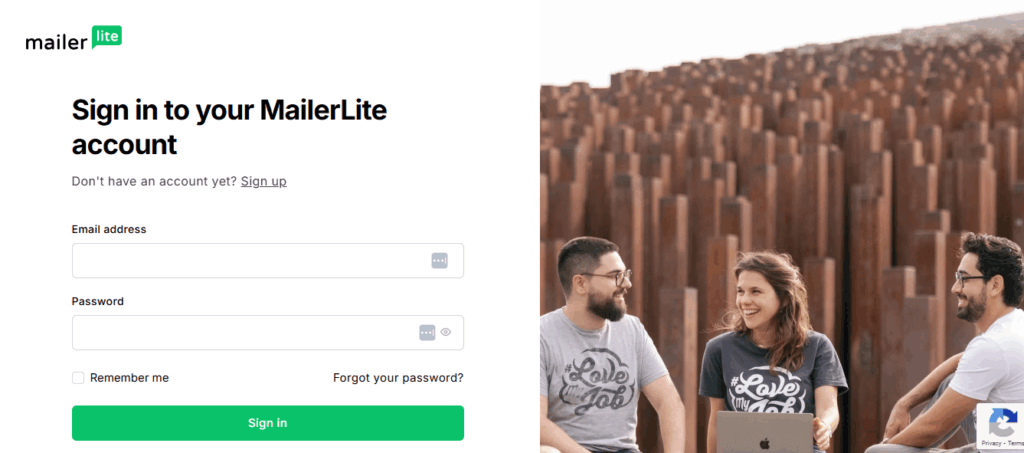
To log in to your MailerLite account, follow these simple steps:
- Open your web browser.
- Visit the official MailerLite website.
- Click the “Log in” button located at the top-right corner of the homepage.
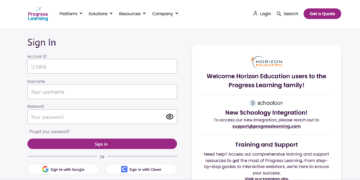
- Enter your registered email address and password.
- Click “Log in” to access your dashboard.
Once logged in, you can manage your email campaigns, subscribers, automation workflows, and analytics from a single dashboard.
Logging In With Google Account
MailerLite also allows users to sign in using their Google account for faster access. Here’s how:
- Go to the MailerLite login page.
- Select “Continue with Google.”
- Choose your Google account.
- Grant the necessary permissions if prompted.
This method eliminates the need to remember a separate password.
Common MailerLite Login Issues
Sometimes users may experience problems while signing in. Below are some common issues and solutions.
1. Forgotten Password
If you forget your password:
- Click the “Forgot password?” link on the login page.
- Enter your registered email address.
- Check your inbox for the password reset link.
- Create a new secure password.
2. Incorrect Email or Password
Double-check the following:
- Caps Lock is turned off
- The email address is correct
- There are no typing mistakes
If the problem continues, reset your password.
3. Account Verification Problems
New users may need to verify their email address before gaining full access. Check your inbox and spam folder for verification emails from MailerLite.
4. Browser Compatibility Issues
Sometimes outdated browsers can cause login problems. Try:
- Updating your browser
- Clearing cache and cookies
- Using another browser
- Disabling browser extensions temporarily
Tips for Securing Your MailerLite Account
Keeping your account secure is essential for protecting your marketing data and subscriber information.
Use a Strong Password
Create a password that includes:
- Uppercase and lowercase letters
- Numbers
- Special characters
Avoid using simple or repeated passwords.
Enable Two-Factor Authentication
If available, enable two-factor authentication (2FA) for extra protection.
Avoid Public Wi-Fi
Do not log in from unsecured public networks unless you use a trusted VPN service.
Log Out After Use
Always sign out when using shared or public devices.
Benefits of Accessing Your MailerLite Dashboard
After logging in, users can take advantage of many useful tools, including:
Email Campaign Management
Design professional email campaigns using drag-and-drop editors and customizable templates.
Marketing Automation
Automate welcome emails, follow-ups, and customer journeys to save time.
Subscriber Management
Organize subscribers into groups and segments for targeted marketing.
Analytics and Reporting
Track open rates, click-through rates, and campaign performance in real time.
MailerLite Mobile Access
Although MailerLite primarily operates through web browsers, users can still access their accounts on mobile devices using mobile-friendly browsers. This allows marketers to monitor campaigns and subscriber activity while on the go.
Final Thoughts
The MailerLite login process is simple, fast, and user-friendly. Whether you are managing newsletters, building landing pages, or automating email marketing campaigns, accessing your account is the first step toward growing your audience and business.
By following proper security practices and understanding common login issues, users can enjoy a smooth and secure experience with MailerLite.
(FAQs)
1. How do I log in to my MailerLite account?
To log in, visit the MailerLite website, click the “Log in” button, and enter your registered email address and password.
2. What should I do if I forget my MailerLite password?
Click the “Forgot password?” link on the login page, enter your email address, and follow the password reset instructions sent to your inbox.
3. Can I log in to MailerLite using Google?
Yes, MailerLite allows users to sign in using their Google account for quicker and easier access.
Also Read: Julianna Farrait: The Mysterious Woman Behind Harlem Drug Kingpin Frank Lucas
4. Why can’t I access my MailerLite account?
You may be entering incorrect login details, using an outdated browser, or your account may require email verification. Try resetting your password or clearing your browser cache.
5. Is MailerLite free to use?
MailerLite offers a free plan with limited features and subscriber capacity. Paid plans provide advanced tools and higher limits.
6. Is MailerLite safe and secure?
Yes, MailerLite uses security measures to protect user accounts and subscriber data. Users are also encouraged to use strong passwords and enable two-factor authentication if available.
7. Can I use MailerLite on mobile devices?
Yes, you can access MailerLite through mobile web browsers on smartphones and tablets.
8. How do I create a new MailerLite account?
Visit the MailerLite website, click “Sign Up,” and follow the registration process by entering your business and contact information.
9. Does MailerLite support multiple users?
Yes, some MailerLite plans allow multiple team members to access and manage the same account.
10. How can I contact MailerLite support for login issues?
You can contact MailerLite support through their help center, live chat, or email support options available on their official website.